Dell XPS 16 vs Lenovo P16 Gen 2 vs Precision 5690
Comparing the Dell XPS 16 9640, Lenovo ThinkPad P16 Gen 2, and Dell Precision 5690 to help you pick the right mobile workstation for your workload.
 uaetech
Share this Post to earn Money ( Upto ₹100 per 1000 Views )
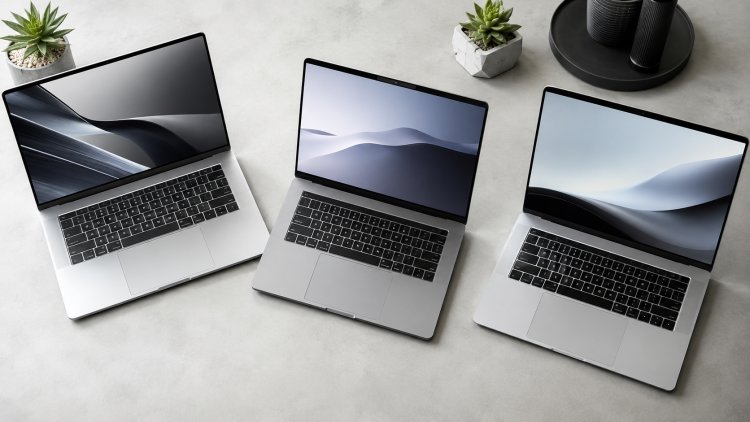
Best Mobile Workstation 2026: Full Comparison
If you're a creative professional, engineer, or data scientist shopping for a laptop that can actually keep up with demanding workloads, the entry-level "gaming laptop with good specs" approach usually falls short. What you need is a proper mobile workstation a machine built for sustained performance, ISV-certified drivers, and a display accurate enough to trust for real work.
Three machines consistently come up in that conversation: the Dell XPS 16 9640, the Lenovo ThinkPad P16 Gen 2, and the Dell Precision 5690. They target slightly different users, so picking the right one comes down to understanding what each does best.
Dell XPS 16 9640: The Creative's Daily Driver
The XPS 16 9640 sits at the intersection of a premium consumer laptop and a light workstation. It's built around Intel's Core Ultra H-series processors, paired with NVIDIA RTX 4070 graphics in higher configurations, and a 16.3-inch OLED UHD+ touch display that's genuinely excellent for photo and video editing.
What makes the XPS 16 9640 stand out isn't raw workstation-grade horsepower — it's the balance. You get up to 64GB of RAM and multi-terabyte SSD configurations, but the chassis stays thin, the keyboard deck is capacitive and minimalist (Dell's now-familiar zero-lattice design), and battery life holds up reasonably well for a machine with this much power under the hood.
Best for: Content creators, video editors, and professionals who want workstation-adjacent performance without carrying an actual workstation.
Trade-off: No ISV certification for CAD/engineering software, and the touch-sensitive function row takes some getting used to.
Lenovo ThinkPad P16 Gen 2: Raw Power in a Familiar Shell
If the XPS 16 is the stylish option, the ThinkPad P16 Gen 2 is the brute-force one. This is a true mobile workstation — Intel Core i9 HX-series processors, up to 64GB of RAM, 2TB+ SSD storage, and critically, an NVIDIA RTX 4090 Ada GPU with 16GB of VRAM in top configurations. That's desktop-class graphics power in a 16-inch chassis.
The WQUXGA IPS display (3840×2400) is factory color-calibrated and ISV-certified for software like AutoCAD, SolidWorks, and Adobe's full creative suite — which matters a lot if your work depends on certified driver stability rather than just raw specs. Lenovo also keeps its legendary ThinkPad reliability here: MIL-SPEC durability testing, a keyboard that's still among the best in the industry, and serviceable components for IT departments that need to repair rather than replace.
Best for: Engineers, 3D artists, and anyone running GPU-intensive rendering or simulation software that benefits from ISV certification.
Trade-off: It's heavier and bulkier than the XPS or the Precision, and battery life takes a hit under sustained GPU load.
Dell Precision 5690: The Thin-and-Light Workstation
The Precision 5690 is Dell's answer to the question "can a workstation be genuinely portable?" Built on Intel's Meteor Lake Core Ultra 9 185H processor with an integrated NPU for on-device AI acceleration, it pairs with NVIDIA's RTX 5000 Ada Generation GPU a genuinely professional-grade graphics card rather than a scaled-down gaming chip.
Despite packing serious hardware, the 5690 stays remarkably light for a 16-inch workstation, and Dell offers a stunning 4K OLED display option on higher configurations. It's MIL-STD 810H certified for durability, meaning it can handle the kind of on-site or travel-heavy use that engineers and field professionals deal with regularly. RAM tops out at 64GB and storage configurations scale up to multiple terabytes across dual M.2 slots.
Best for: Mobile professionals who need workstation-grade GPU power (3D modeling, simulation, AI/data workloads) but refuse to compromise on portability.
Trade-off: Higher-end configurations get expensive quickly, and the base models with integrated graphics don't really qualify as workstation-tier.
Quick Comparison
Dell XPS 16 9640
- Best for: Creative professionals
- Top GPU: RTX 4070 (8GB)
- Max RAM: 64GB
- Display: 16.3" OLED UHD+ Touch
- ISV Certification: No
- Portability: High
- Durability Rating: Standard
Lenovo ThinkPad P16 Gen 2
- Best for: Heavy engineering/3D work
- Top GPU: RTX 4090 Ada (16GB)
- Max RAM: 64GB
- Display: 16" WQUXGA IPS, ISV-certified
- ISV Certification: Yes
- Portability: Moderate
- Durability Rating: MIL-SPEC
Dell Precision 5690
- Best for: Portable workstation use
- Top GPU: RTX 5000 Ada (16GB)
- Max RAM: 64GB
- Display: Up to 16" 4K OLED
- ISV Certification: Yes
- Portability: High
- Durability Rating: MIL-STD 810H
Final Verdict
There's no universal "best" here — it depends on your workload:
- Pick the Dell XPS 16 9640 if you want a beautiful, capable machine for creative work without workstation bulk.
- Pick the Lenovo ThinkPad P16 Gen 2 if raw GPU performance and ISV certification matter more than weight.
- Pick the Dell Precision 5690 if you need workstation-class power but travel or work on-site often.
If you're in the UAE and want to compare current pricing and configurations for all three side by side, UAE Tech Dubai carries updated stock across Dell, Lenovo, and other major workstation brands, with delivery across the UAE and the wider GCC region.