Signs Your Business Has Outgrown Legacy ERP Systems
 pamelaburgess
Share this Post to earn Money ( Upto ₹100 per 1000 Views )
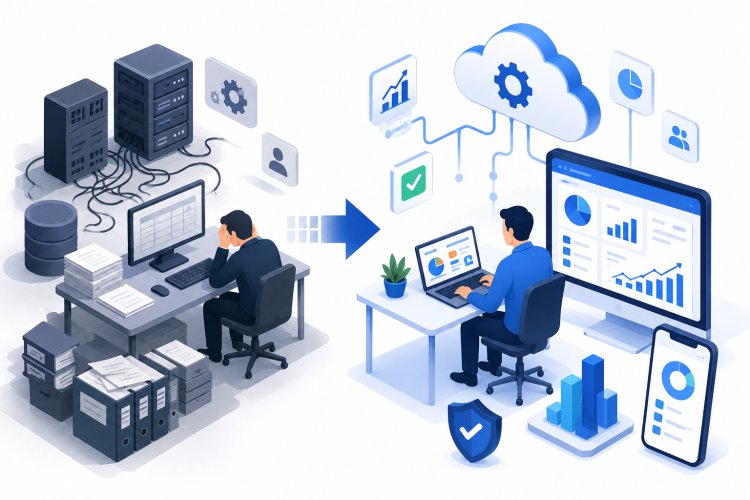
Enterprise Resource Planning (ERP) systems have long been the backbone of business operations, helping organizations manage finance, inventory, procurement, manufacturing, sales, and human resources. While older ERP platforms may have served businesses well for years, changing market demands and technological advancements often reveal their limitations.
Many organizations reach a point where outdated systems begin slowing growth rather than supporting it. Planning a legacy system migration allows businesses to modernize operations, improve efficiency, and prepare for future expansion. Recognizing the warning signs early can help organizations avoid costly disruptions and remain competitive.
Why Legacy ERP Systems Become a Challenge
Older ERP platforms were designed to meet the business requirements of their time. However, today's organizations require greater flexibility, automation, cloud connectivity, and real-time insights.
As businesses expand, legacy systems often struggle to keep pace with:
- Growing transaction volumes
- Increasing user demands
- Digital transformation initiatives
- Customer expectations
- Regulatory changes
Modern businesses need technology that supports continuous innovation.
Sign 1: Slow System Performance
One of the most noticeable indicators is declining system performance.
Employees may experience:
- Long loading times
- Delayed transactions
- Slow report generation
- Processing bottlenecks
- Frequent application freezes
Poor performance affects employee productivity and creates frustration across departments.
As workloads increase, system responsiveness often continues to decline.
Sign 2: Frequent System Downtime
Unexpected outages disrupt business operations and affect customer satisfaction.
Frequent downtime can result in:
- Delayed order processing
- Interrupted financial operations
- Lost productivity
- Customer complaints
- Reduced revenue opportunities
Reliable business systems should remain available whenever employees need them.
Repeated downtime indicates that existing infrastructure may no longer meet business requirements.
Sign 3: High Maintenance Costs
Older ERP environments often require increasing investments to remain operational.
Organizations may face higher expenses related to:
- Hardware maintenance
- Software support
- Custom development
- Infrastructure upgrades
- Technical troubleshooting
When maintenance costs continue rising without improving performance, modernization becomes a practical consideration.
Sign 4: Limited Integration Capabilities
Modern organizations rely on multiple business applications working together.
Legacy ERP systems often struggle to integrate with:
- Customer relationship platforms
- Business intelligence tools
- E-commerce solutions
- Cloud applications
- Third-party services
Poor integration creates information silos and increases manual data entry.
Connected systems improve operational efficiency and decision-making.
Sign 5: Heavy Dependence on Manual Processes
Employees should spend time creating business value rather than performing repetitive administrative work.
Outdated ERP platforms often require:
- Manual approvals
- Spreadsheet reporting
- Duplicate data entry
- Offline calculations
- Paper-based workflows
Manual activities increase operational costs while introducing unnecessary errors.
Automation improves both productivity and accuracy.
Sign 6: Difficulty Supporting Business Growth
Growing organizations require technology that scales alongside business expansion.
Warning signs include:
- Limited user capacity
- Performance degradation
- Difficulty adding locations
- Inability to support new business units
- Infrastructure limitations
Technology should enable growth instead of restricting it.
Scalable systems provide greater flexibility for future expansion.
Sign 7: Poor User Experience
Employees expect software that is intuitive and easy to navigate.
Older systems often involve:
- Complex menus
- Lengthy processes
- Outdated interfaces
- Steep learning curves
- Limited accessibility
A poor user experience reduces productivity and increases training requirements.
Modern interfaces improve employee satisfaction and efficiency.
Sign 8: Limited Mobile Access
Today's workforce increasingly operates from multiple locations.
Employees expect secure access through:
- Smartphones
- Tablets
- Laptops
- Remote work environments
Legacy ERP platforms often lack responsive mobile capabilities.
Mobile accessibility supports faster approvals and improved collaboration.
Sign 9: Inadequate Reporting
Business leaders rely on timely information to make strategic decisions.
Older reporting systems may produce:
- Delayed reports
- Limited analytics
- Static dashboards
- Incomplete business insights
Modern organizations require real-time visibility into financial, operational, and customer data.
Better reporting supports faster and more confident decision-making.
Sign 10: Security Concerns
Cybersecurity threats continue to evolve.
Older ERP platforms may have difficulty supporting:
- Advanced authentication
- Data encryption
- Access management
- Threat monitoring
- Regulatory compliance
Weak security increases organizational risk and exposes sensitive business information.
Modern platforms offer stronger protection against emerging threats.
Sign 11: Customizations Have Become Difficult
Many organizations customize ERP systems over time.
Excessive customization can create challenges such as:
- Complex upgrades
- Longer implementation times
- Increased maintenance
- Compatibility issues
Businesses should evaluate whether extensive customizations continue delivering value or increasing operational complexity.
Simplified processes often reduce long-term costs.
Sign 12: Employees Avoid Using the System
If employees frequently use spreadsheets or external applications instead of the ERP platform, it may indicate usability issues.
Common reasons include:
- Slow performance
- Limited functionality
- Difficult navigation
- Outdated features
When users avoid core business systems, data consistency and operational efficiency suffer.
Technology should encourage adoption rather than create obstacles.
Sign 13: Limited Automation
Modern organizations increasingly automate routine business processes.
Automation supports:
- Purchase approvals
- Financial reporting
- Inventory updates
- Workflow management
- Customer communications
Legacy systems often require manual intervention for many routine activities.
Automation improves efficiency while reducing operational costs.
Sign 14: Difficulty Supporting Digital Transformation
Businesses adopting cloud technologies, analytics, artificial intelligence, and automation require flexible ERP platforms.
Legacy systems may struggle to support:
- Cloud integration
- Advanced analytics
- Intelligent automation
- Digital collaboration
- Future technology adoption
Modern technology provides the flexibility needed for continuous innovation.
Planning a Successful ERP Modernization
Organizations should prepare carefully before replacing older systems.
Successful modernization includes:
- Evaluating business requirements
- Defining project goals
- Assessing existing processes
- Cleaning business data
- Training employees
- Managing organizational change
Careful planning reduces implementation risks while improving project outcomes.
Long-Term Benefits of Modern ERP Platforms
Organizations upgrading their ERP environment often experience:
- Improved operational efficiency
- Faster business processes
- Better reporting
- Enhanced security
- Increased productivity
- Greater scalability
Modern platforms provide stronger support for long-term business growth and digital transformation.
Technology becomes a competitive advantage rather than a limitation.
Enterprise Modernization
Solutions developed by Gartner research and industry best practices consistently highlight the importance of modern ERP strategies that improve operational agility, strengthen business resilience, and support continuous innovation.
Organizations adopting modern enterprise platforms gain improved visibility, streamlined workflows, better collaboration, stronger security, and greater flexibility to respond to changing business requirements.
These improvements help businesses remain competitive in an increasingly digital marketplace.
Conclusion
Legacy ERP systems may continue operating for years, but increasing maintenance costs, limited scalability, poor user experiences, security concerns, and slow performance often indicate that modernization is necessary. Recognizing these warning signs early allows organizations to plan upgrades before operational challenges become more serious.
Investing in a modern ERP platform improves efficiency, enhances collaboration, strengthens business continuity, and provides the flexibility needed to support future growth. Organizations that embrace modernization position themselves for long-term success in an evolving business environment.